Can You Really Trust What You See Online? How Google SynthID Spots AI Deepfakes
Can you trust videos and images online? Learn how Google DeepMind’s SynthID embeds invisible watermarks in AI-generated media, what its detector can reveal, and why a missing watermark does not prove content is real.
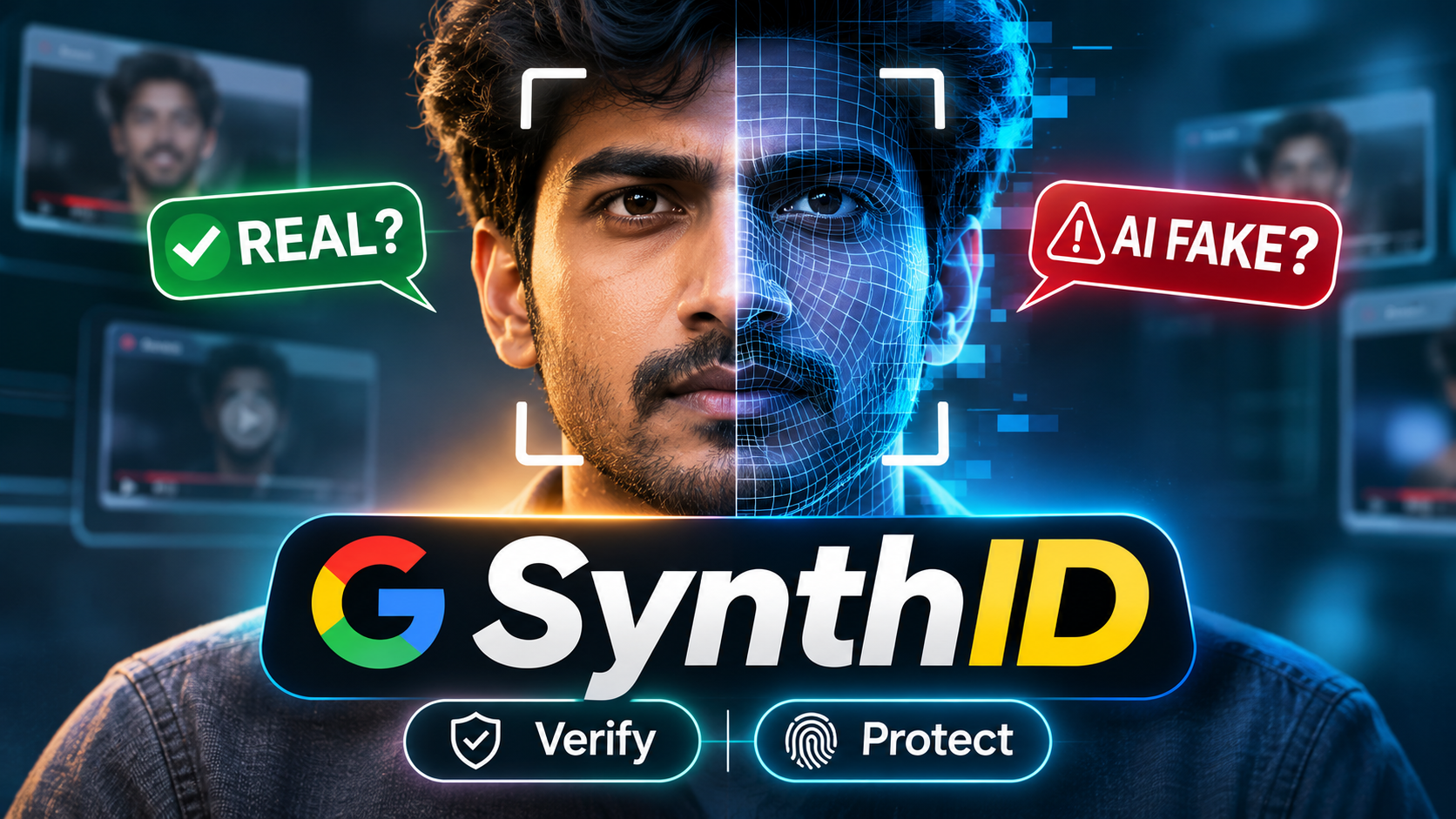
A video starts appearing across social media. A well-known public figure seems to be encouraging people to invest their savings in an unfamiliar cryptocurrency app that promises an unbelievable return. The lip movements look convincing, the voice sounds familiar, and the background looks realistic.
There is one major problem: the video may have been generated or manipulated using AI.
We have reached a point where realistic-looking images, cloned voices, and AI-generated videos can be created with increasingly accessible tools. A video alone is no longer enough to establish that an event really happened.
So how can we assess the authenticity of digital content?
Google DeepMind has developed an invisible watermarking technology called SynthID. It is designed to help identify content generated by supported Google AI systems. In this guide, we’ll explain how SynthID works, what it can and cannot detect, and how to interpret a detection result without jumping to conclusions.
Why Traditional Watermarks and Metadata Are Not Enough
Before looking at SynthID, it helps to understand the limitations of familiar ways of identifying digital content.
Visible watermarks: A logo, transparent text, or badge placed over an image or video can be useful, but it can often be cropped, blurred, covered, or removed with editing tools.
EXIF and file metadata: Photos can contain information such as camera model, exposure settings, and capture date. However, metadata can be edited or removed, and many social platforms strip some metadata when content is uploaded or shared.
These methods can provide useful clues, but neither one is a complete solution. This is one reason invisible watermarking and content provenance systems are being developed.
What Is Google SynthID?
SynthID is an AI-content watermarking technology developed by Google DeepMind. It embeds an imperceptible signal into supported AI-generated content so that compatible detection systems can look for that signal later.
The watermark is designed to be difficult for people to notice during normal viewing or listening. It is not a visible logo or label placed over the content.
SynthID technology has been developed for several content types:
- Images: An imperceptible watermark is embedded into image data generated by supported systems.
- Video: A watermark can be embedded into supported AI-generated video content.
- Audio: Watermarking can add an inaudible signal to supported AI-generated audio.
- Text: SynthID Text uses a statistical watermarking approach during text generation. It influences token selection patterns without adding a visible mark to the words.
Availability and implementation can differ by content type and the AI product being used. SynthID is not automatically embedded in every image, video, audio clip, or text passage created with AI.
Can the SynthID Watermark Survive Editing?
Digital content is often resized, compressed, cropped, filtered, or shared across multiple platforms. A useful watermarking system needs to remain detectable after at least some common transformations.
SynthID has been designed and tested to remain detectable through certain types of modification. Depending on the content type and the extent of the changes, detection may still be possible after operations such as:
- Compression and re-encoding
- Resizing or cropping
- Changes to colour, brightness, or contrast
- Some video and audio transformations
However, this does not mean the watermark is impossible to remove or guaranteed to survive every edit. Severe distortion, repeated processing, or other changes can weaken the signal and make detection more difficult.
The correct way to understand SynthID is as a resilience-focused watermarking method, not an unbreakable authenticity guarantee.
How to Check Content Using a SynthID Detector
Google has introduced SynthID detection capabilities to help identify watermarks in supported AI-generated content. Access and supported file types may depend on the detector experience and its availability.
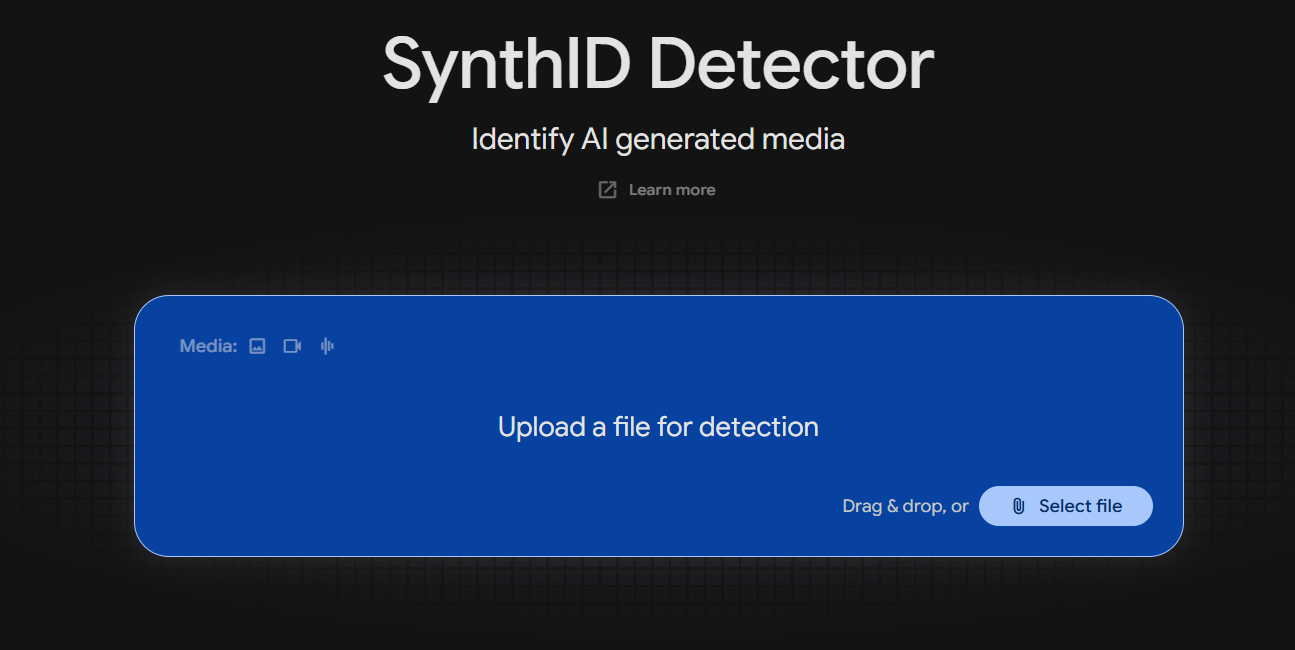
The SynthID Detector interface provides an upload area for supported media files.
If you want to check a suspicious file:
- Get the best-quality original file: Whenever possible, use the original image, video, or audio rather than a screen recording or a heavily compressed copy.
- Use an official Google SynthID detection experience: Find the detector through Google or Google DeepMind’s official channels. Be careful with unrelated websites claiming to be official detectors.
- Check the supported formats and limits: Confirm that your file type, size, and duration are supported by the detector you are using.
- Upload the file and review the result: Follow the tool’s instructions and read its explanation of what was detected.
Do not upload private, confidential, or sensitive media to an online detector unless you understand its data-handling and privacy terms.
Understanding the Results
A detector result needs to be interpreted carefully. It does not provide a universal verdict on whether a video is real or fake.
1. SynthID watermark detected
This indicates that the detector found a SynthID watermark in the content it analysed. It is evidence that the relevant content may have been generated or processed using a system that embeds SynthID.
It does not, by itself, prove that the entire file is AI-generated, that the content is deceptive, or that every part of the file came from AI. A person may have edited or combined AI-generated material with other footage.
2. No SynthID watermark detected
This only means the detector did not identify a SynthID watermark in the submitted file.
It does not prove that the content was captured by a real camera or recorded by a real person. The content may have been created with an AI system that does not use SynthID, or the watermark may not be detectable in the version you uploaded.
For example, open-source models and other AI tools may not embed SynthID at all.
3. Inconclusive or limited result
A detector may not be able to make a confident assessment. This can happen when the file is unsupported, the watermark signal is weak, or the content has undergone substantial processing.
An inconclusive result should not be treated as proof either way.
SynthID Compared with Other Verification Methods
SynthID is one part of a wider set of tools and standards that can help people assess digital media.
| Method | What it does | Important limitation |
|---|---|---|
| Google SynthID | Embeds an imperceptible watermark in supported AI-generated content | Only works for content and systems that use SynthID; detection is not a universal real-or-fake test |
| C2PA Content Credentials | Records information about a file’s origin and editing history using signed provenance data | Credentials may be absent, incomplete, or separated from a copy of the file |
| EXIF metadata | Stores technical details such as camera settings and capture information | Metadata can be edited or removed |
| Manual verification | Checks context, source, visual details, and independent reporting | Human judgement can be mistaken and visual clues are not definitive |
These approaches serve different purposes. SynthID looks for a specific watermark. C2PA can provide provenance information about a file and its edits. Metadata may offer additional clues, while independent verification helps establish the context around a claim.
Using more than one method can provide a stronger assessment than relying on a single detector.
5 Ways to Protect Yourself from AI Deepfakes
Detection tools are useful, but everyday verification habits matter too.
- Look for inconsistencies, but do not rely on appearance alone: Unusual fingers, jewellery, reflections, or facial details may be clues. However, modern AI can produce convincing visuals, and real footage can also look unusual.
- Listen carefully to the audio: Pay attention to unnatural pauses, abrupt changes in voice quality, or audio that does not match the visible scene. These are clues, not proof.
- Check the source and context: Find the original upload if possible. Look at who posted it, when it was published, and whether the account has a credible history.
- Cross-check important claims: If a video shows a major announcement, emergency, investment offer, or political event, look for confirmation from reputable independent sources.
- Use verification tools where appropriate: SynthID, Content Credentials, and other provenance tools can provide useful evidence when the file and tool are supported.
Be especially cautious when a video asks you to send money, share personal information, or make an urgent decision.
Frequently Asked Questions
Q1: Does SynthID reduce image or video quality?
SynthID is designed to add a watermark that is imperceptible during normal viewing or listening. The goal is to preserve the quality and experience of the generated content.
Q2: Can a screenshot still contain a SynthID watermark?
A screenshot may retain some watermark information from the displayed image, but detection is not guaranteed. The result depends on the original content, how the screenshot was captured, and any subsequent processing.
Q3: Does SynthID detect content from every AI tool?
No. SynthID is used by supported Google AI systems and products. Content made with other AI tools may use different watermarking methods or no watermark at all.
Q4: Can SynthID stop people from creating deepfakes?
No. SynthID is a watermarking and detection technology, not a system that prevents someone from generating or sharing deceptive content. It can help identify supported AI-generated media, but it cannot detect every deepfake.
Q5: Does “No watermark detected” mean a video is real?
No. It only means that the detector did not find a SynthID watermark in the submitted file. The video could still be AI-generated or manipulated using tools that do not use SynthID.
Final Thoughts
We do not need to become cynical about every image or video we see online. But we do need to be more thoughtful about how we judge digital content.
AI has made it easier to create realistic synthetic media, and technologies such as SynthID are one way to improve transparency. Watermarks, provenance standards, careful source checking, and critical thinking each play a role.
The most important thing to remember is simple: a detected watermark can provide useful evidence, but the absence of a watermark does not prove that something is real.
Before believing or sharing a viral video, take a moment to check where it came from and whether its claims are supported by reliable sources.
Share this article · Follow SSK Decode AI
Discover More
View all
Gemini Omni 1.2 Flash – Create 15s AI Video 30% Cheaper
Explore Gemini Omni 1.2 Flash: generate AI videos up to 15 seconds, refine clips through multi-turn editing, improve character consistency, and learn about pricing and access.

AI Browser Automation for Beginners – How to Automate Repetitive Tasks
Learn how to use AI browser automation, how to use Antigravity to automate repetitive tasks in your browser, and the important safety considerations for beginners.

5 Free AI Tools for Beginners to Create YouTube Videos, Voiceovers, Music & Images
Discover 5 free AI tools for beginners to create YouTube voiceovers, AI music, images, and videos. Learn about free-plan limits and commercial-use restrictions.