How to Create 3D Cartoon Story Videos with AI For FREE (Full Workflow & Prompts)
Master the complete step-by-step pipeline to create viral Pixar-style 3D animated kids stories using Google Gemini, Google AI Studio, and Google Flow with zero budget.
How to Create 3D Cartoon Story Videos with AI For FREE (Full Workflow)
Kids' 3D animated cartoon stories are among the most viral, high-retention content niches on YouTube and Instagram right now. New channels are crossing monetization thresholds and earning significant ad revenue within just a few months.
In this master guide, we break down the end-to-end production pipeline using 100% free Google AI tools (Google Gemini, Google AI Studio, and Google Flow) to produce consistent, cinematic 3D stories without spending a single dollar on subscriptions.
🛠️ The Production Tool Stack
| Stage | AI Tool | Purpose | Cost |
|---|---|---|---|
| 01. Story & Retention | Google Gemini | Master story outline, retention hooks & JSON character prompts | Free |
| 02. Realistic Voiceover | Google AI Studio (Gemini 2.5 Pro TTS) | Hyper-natural Tamil / multilingual storytelling speech synthesis | Free |
| 03. Audio Breakdown | Google Gemini Multimodal | Frame-accurate 10s audio breakdown & storyboard scenes | Free |
| 04. Character & Video Gen | Google Flow (OmniFlash & Nano Banana 2) | Consistent character turns, storyboard frames & 10s video renders | Free / Jio Tier |
| 05. Post-Production | CapCut / DaVinci Resolve | Timeline assembly, pacing sync, sound design & 1080p export | Free |
🎬 Step-by-Step Production Pipeline
Step 1: Generate a High-Retention Story Structure
Most AI stories fail because they lack pacing and retention loops. Using our master JSON prompt, Gemini generates a structured kids' story featuring immediate mystery hooks, comic relief failures, emotional friendship beats, and natural speech tags.
Step 2: Generate Expressive Voiceover in Google AI Studio
- Open Google AI Studio and switch the model to Gemini 2.5 Pro TTS.
- Click "Turn text into natural sounding speech".
- Paste the
SAMPLE CONTEXTandscenedata generated in Step 1. - Select your preferred male or female voice profile, click Run, and download the final crystal-clear voiceover track.
Step 3: Extract Exact 10-Second Timestamps
Upload the voiceover audio directly back into the same Gemini conversation. Gemini listens to the audio, transcribes each line, and splits the narration into uninterrupted 10-second intervals.
Step 4: Generate Consistent Characters & Storyboards (Google Flow)
- Use Master Prompt 3 (AI Director) to generate isolated character turnaround sheets (
Nano Banana 2model on pure white background) and atmospheric background plates. - Generate 4-panel storyboard image cards for each 10-second scene segment.
- Feed the storyboard image into Google Flow (
OmniFlashvideo model), set duration to 10 seconds, and render dynamic camera movement.
Step 5: Timeline Assembly & YouTube Safe Upload
- Import the master voiceover audio and 10s video clips into CapCut.
- Align video transitions to voiceover sentence pauses and add ambient background music.
- YouTube Upload Tip: When uploading to YouTube, always select "Altered Content ➔ Yes" to ensure 100% compliant and safe monetization.
📋 Production Master Prompts (Ready to Copy)
1. The High-Retention Story Generator
Paste this prompt into Google Gemini to get the master story with TTS tags.
{
  "role": "Expert YouTube Kids Story Writer and Retention Specialist",
  "task": "Generate a highly engaging YouTube Kids story optimized for watch retention, emotional engagement, repeat viewing, and AI voiceover narration.",
  "target_audience": "Children aged 3-10 years",
  "language": "Tamil",
  "output_language": "Natural spoken tamil suitable for TTS voiceover",
  "story_duration": "1 minute",

  "story_structure": {
    "hook": {
      "duration": "First 5-10 seconds",
      "purpose": "Create immediate curiosity",
      "requirements": [
        "Start with an unusual event",
        "Create a mystery",
        "Make children wonder what happens next",
        "Avoid long introductions"
      ]
    },
    "character_introduction": {
      "purpose": "Make the main character lovable",
      "requirements": [
        "Show a cute behavior",
        "Establish personality quickly",
        "Use simple language"
      ]
    },
    "problem_introduction": {
      "purpose": "Create emotional investment",
      "requirements": [
        "Present a simple problem children can understand",
        "Create urgency",
        "Keep stakes child-friendly"
      ]
    },
    "retention_loop": {
      "purpose": "Maintain watch retention",
      "attempts": [
        { "attempt": 1, "result": "Fails in a funny way" },
        { "attempt": 2, "result": "Fails differently" },
        { "attempt": 3, "result": "Almost succeeds but unexpected twist happens" }
      ]
    },
    "pattern_interrupts": {
      "frequency": "Every 15-20 seconds",
      "examples": [
        "Funny accident",
        "Magic transformation",
        "Unexpected discovery",
        "Colorful visual moment",
        "Dance or celebration moment"
      ]
    },
    "emotional_moment": {
      "purpose": "Create emotional connection",
      "requirements": ["Friendship", "Helping others", "Sharing", "Kindness"]
    },
    "big_payoff": {
      "purpose": "Reward viewer",
      "requirements": ["Exciting solution", "Visual celebration", "Happy ending"]
    },
    "viral_ending": {
      "purpose": "Increase repeat viewing",
      "requirements": [
        "Introduce a new mystery",
        "Hint at another adventure",
        "Create curiosity for next episode"
      ]
    }
  },

  "voiceover_rules": [
    "Write only in English",
    "Write in paragraph format",
    "Do not use scene headings",
    "Do not use shot descriptions",
    "Do not use screenplay format",
    "Do not use bullet points",
    "Do not use camera instructions",
    "Every sentence must be easy for TTS narration",
    "Use short and clear sentences",
    "Use expressive storytelling language",
    "Use emotional words suitable for children",
    "Maintain excitement throughout the story",
    "End every major section with curiosity",
    "Avoid complex vocabulary",
    "Keep language conversational and child-friendly"
  ],

  "retention_rules": [
    "Something interesting must happen every 15 seconds",
    "Introduce surprise elements frequently",
    "Avoid long descriptions",
    "Keep the story moving forward continuously",
    "Create mini cliffhangers throughout the story",
    "Use repetition of a fun catchphrase 3-5 times",
    "Create anticipation before reveals",
    "Make every paragraph end with curiosity or excitement"
  ],

  "output_format": {
    "title": "YouTube Kids Story Title",
    "characters": "Character names in English",
    "environment": "Environment names in English",
    "scene": "How the scene voiceover audio should sound in tamil",
    "SAMPLE CONTEXT": "Sample context about the voiceover speech in English",
    "IMPORTANT": "Use expressive speech tags naturally where needed. Example tags: [softly], [whispers], [amused], [laughs softly], [surprised], [emotional pause], [breathes deeply], [sadly], [excited], [giggles], [slow dramatic pause]. IMPORTANT RULES: Do NOT overuse tags. Use tags only for emotional enhancement. Narration should sound natural. Include natural pauses. Maintain cinematic pacing. Keep narration visually descriptive. Make it storyboard-friendly. Make transitions smooth.",
    "story": "Single continuous tamil paragraph optimized for TTS narration"
  }
}
2. The 10-Second Audio Segmenter
Upload your voiceover audio file to Gemini and send this prompt.
Analyse the voiceover story audio and extract the full dialogue text with timestamps split by 10 seconds duration, segment by segment.
3. Cinematic AI Director & Storyboard Creator
Paste the extracted 10-second timestamped text into the story block below.
Analyze the below voice-over audio transcribed story carefully and act as a professional cinematic AI animation director.

story : { paste your story here — segment-by-segment extraction of the audio text, divided into 10-second intervals with accurate timestamps. }

---

IMPORTANT:
The audio narration is for a Pixar-style 3D cinematic animation video.

Your task is to fully understand:
* the story
* narration pacing
* emotional flow
* characters
* environments
* cinematic progression

Then generate a COMPLETE AI animation production breakdown.

━━━━━━━━━━━━━━━━━━━
PART 1 — STORY UNDERSTANDING
━━━━━━━━━━━━━━━━━━━
First:
* Understand the complete story.
* Identify the emotional arc.
* Identify all major scenes.
* Understand narration pacing.

Then provide:
1. Story Summary
2. Visual Style Recommendation

━━━━━━━━━━━━━━━━━━━
PART 2 — CHARACTER BREAKDOWN
━━━━━━━━━━━━━━━━━━━
Analyze the narration and identify ALL characters appearing in the story.
For EACH character provide:
1. Character Name
2. Character Personality
3. Describe how the character acts.
4. Character Role in Story

Then generate a PROFESSIONAL IMAGE GENERATION PROMPT for each character.

IMPORTANT:
The prompts must be optimized for:
* Google Flow
* Nanobana Image Generation
* Cinematic Pixar-style 3D characters

Character Prompt Style:
* Ultra detailed
* Pixar-inspired
* Cinematic lighting
* Front-facing
* Full body
* Animation studio quality
* White background
* Highly expressive face
* Consistency-friendly design

━━━━━━━━━━━━━━━━━━━
PART 3 — ENVIRONMENT & LOCATION BREAKDOWN
━━━━━━━━━━━━━━━━━━━
Identify all environments and locations appearing in the narration.
For EACH environment provide:
1. Environment Name
2. Scene Purpose
3. Emotional Mood
4. Lighting Style
5. Time of Day
6. Environment Details
7. Cinematic Feel

Then generate a PROFESSIONAL ENVIRONMENT IMAGE PROMPT.

IMPORTANT:
Environment prompts must be optimized for:
* Cinematic AI animation
* Google Flow scenes
* Highly detailed cinematic backgrounds
* Emotional storytelling
* Pixar-style worldbuilding

━━━━━━━━━━━━━━━━━━━
PART 4 — STORYBOARD BREAKDOWN
━━━━━━━━━━━━━━━━━━━
STEP 1: Determine exact story duration and total narration length.
STEP 2: Calculate the storyboard segment count based on ACTUAL story duration.
Formula: Total Segments = Audio Duration ÷ 10 seconds

STEP 3: Verify that the LAST storyboard timestamp exactly matches the audio duration.
STEP 4: Divide the FULL narration into exact 10-second cinematic segments.

For EACH 10-second segment provide:
1. Timestamp
2. Which characters and environment image should be used for the segment.
3. Main Visual Action
4. Character Emotion
5. Environment
6. Camera Style
7. Lighting Mood
8. Transition Feel

Then generate a PROFESSIONAL STORYBOARD IMAGE GENERATION PROMPT:
────────────────────
Create a cinematic four-panel storyboard for the scene.
IMPORTANT:
* Show FULL scene instruction text completely BELOW each storyboard panel.
* Do NOT overlay text inside the images.
* Maintain professional cinematic storyboard layout.
* Maintain visual continuity.
* Maintain emotional continuity.
* Maintain character consistency.
Use the attached character reference.

Storyboard visual style:
* Cinematic
* Grounded emotional realism
* Emotionally immersive
* Pixar-inspired 3D animation
* Movie storyboard composition
* Cinematic lighting
* Highly detailed environments
────────────────────
Panel 1: (Describe visual action clearly)
Scene instruction below panel image: (Describe cinematic movement, emotion, lighting, and action)
────────────────────
Panel 2: (Describe visual action clearly)
Scene instruction below panel image: (Describe cinematic movement, emotion, lighting, and action)
────────────────────
Panel 3: (Describe visual action clearly)
Scene instruction below panel image: (Describe cinematic movement, emotion, lighting, and action)
────────────────────
Panel 4: (Describe visual action clearly)
Scene instruction below panel image: (Describe cinematic movement, emotion, lighting, and action)
────────────────────
Lighting: (Describe cinematic lighting)
Camera movement: (Describe camera style)

Style: Pixar-inspired cinematic 3D animation, professional storyboard sheet, movie previsualization, animation studio quality, clean composition, balanced text and visuals, cinematic storytelling.

━━━━━━━━━━━━━━━━━━━
IMPORTANT GLOBAL RULES
━━━━━━━━━━━━━━━━━━━
* Maintain full story continuity.
* Maintain exact character consistency.
* Keep cinematic progression smooth.
* Keep narration pacing synchronized with visuals.
* Make all prompts production-ready.
* Make outputs optimized for Google Flow workflow.
* Make all visuals emotionally cinematic and storyboard-friendly.
4. Storyboard to Video Generator (Google Flow)
Attach your 4-panel storyboard image to Google Flow and send this prompt.
Show me in this story. Follow the story exactly in order starting top left. Entire story in 10 seconds. Cinematic.
🚀 Key Takeaways & Pro Tips
- Consistency is Key: Always generate your character sheets on a solid white background first, and attach them as image references in Google Flow.
- Batch Production: Write 5 scripts in a single Gemini session to build a consistent 1-week kids content pipeline in under 2 hours.
- Resolution Upscaling: In Google Flow, always choose the 1080p upscale download option for crisp, compression-free YouTube uploads.
Related Articles
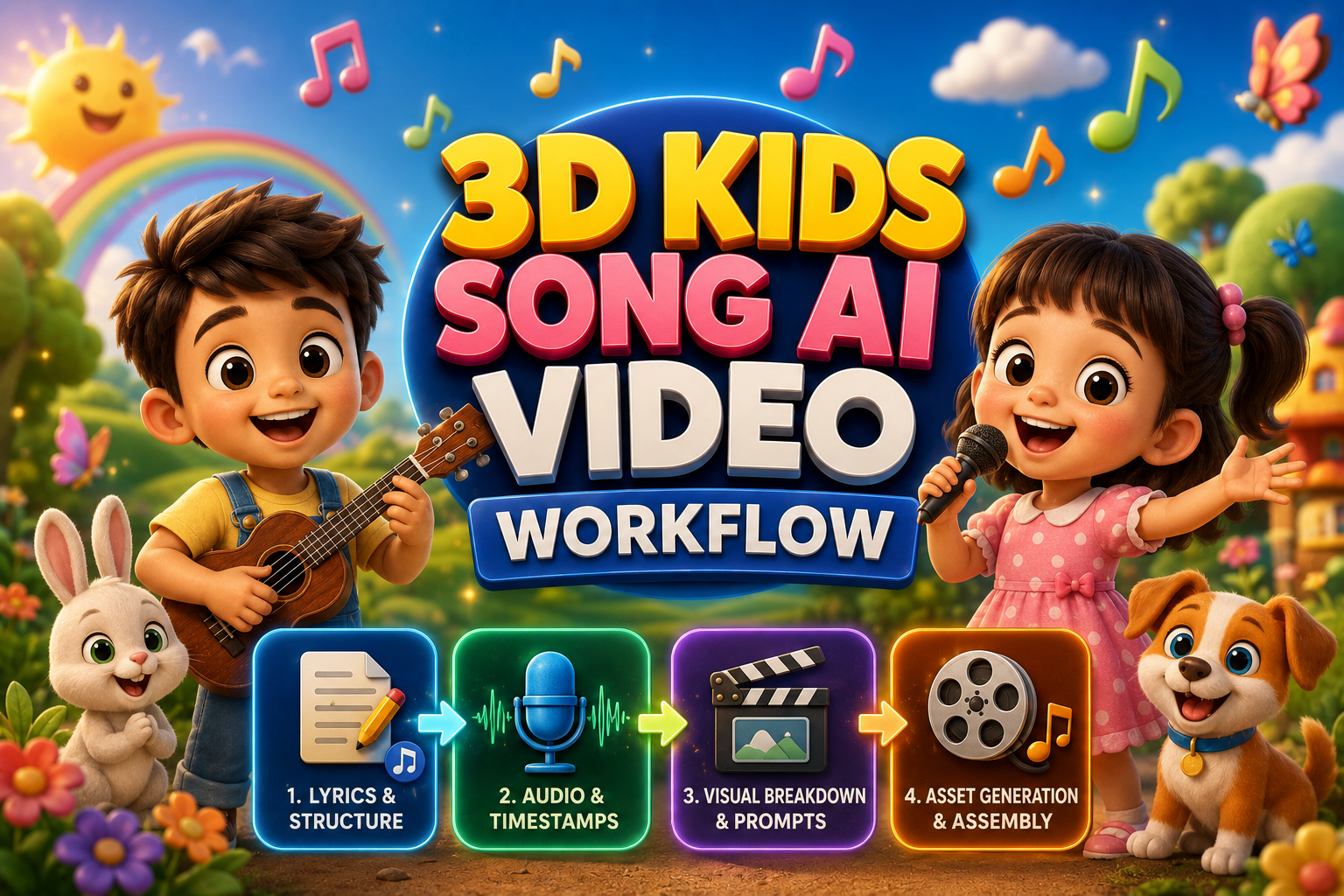
The Ultimate Guide to Creating 3D Kids Animation Song & Videos
Discover the easiest AI workflow to create vibrant 3D kids animation videos from scratch—no 3D modeling or animation experience needed.
Unlock the Secrets to Recreating Viral Motion Graphics with AI
Discover how to recreate viral motion graphics reels in minutes using AI, multimodal analysis, and next-gen video diffusion models.
Mastering Realistic AI Video Creation with Google Flow
Learn how to create a realistic AI video using Google Flow, from generating a photorealistic image to adding dialogue and gestures, all in one seamless workflow.