How to Monetize AI-Generated Videos on YouTube: Complete Guide & Safe Workflow
Unlock the secrets to monetizing AI-generated videos on YouTube without risking demonetization. Discover a comprehensive guide to building an AdSense-safe, human-curated AI video workflow.

With video generation models like Sora 2 and Veo 3.1, creating cinematic AI videos has never been easier. However, the biggest question creators face is: Can you actually monetize AI-generated videos on YouTube without getting penalized?
The short answer is yes. But if you simply upload raw, automated AI clips with background music, your channel risks demonetization under YouTube’s Reused Content or Inauthentic / Repetitive Content policies.
This comprehensive guide breaks down YouTube's AI monetization rules, why automated channels fail, and how to build a human-curated AI video workflow that is AdSense-safe and built for long-term growth.
YouTube’s Official AI Policy Breakdown
YouTube does not penalize videos simply because artificial intelligence was used in the production pipeline. Instead, YouTube's Partner Program (YPP) focuses on human value, originality, and narrative depth.
    ┌────────────────────────────────────────┐
    │          What YouTube Evaluates         │
    ├───────────────────┬────────────────────┤
    │  Originality      │  Human Curation    │
    │  Narrative Voice  │  Creative Editing  │
    └───────────────────┴────────────────────┘
The Two Major Red Flags
- Repetitive / Inauthentic Content: Mass-produced, automated videos that lack distinctive educational or entertainment value (e.g., automated image slideshows with generic royalty-free tracks).
- Reused Content: Scraping content or assembling clips without significant transformation, voice commentary, or thoughtful sequencing.
The Golden Rule: AI + Human Value = Monetization
Monetization approval depends on your personal contribution to the production workflow:
- Raw AI Outputs (At Risk): Generating raw clips, sticking them together in an automated sequence, and adding stock background music.
- Transformed AI Production (AdSense Safe): Writing a custom script, adding thoughtful commentary (or an intentional, tailored voiceover), structuring pacing, inserting sound effects, overlays, and color adjustments.
YouTube Shorts vs. Long-Form AI Content
| Metric / Aspect | AI YouTube Shorts | AI Long-Form Videos |
|---|---|---|
| Reach & Discovery | Rapid virality, high algorithm exposure | Steady, search-driven long-tail views |
| Ad RPM / Revenue | Lower RPM per 1,000 views | Significantly higher CPM / RPM |
| Monetization Requirement | Unique concepts, rapid pacing, clear theme | In-depth commentary, custom structure |
| Production Time | 15–45 minutes per short | 2–5 hours per comprehensive video |
Step-by-Step AdSense-Safe Production Workflow
Follow this sequence to ensure every upload meets YouTube Partner Program standards:
- Concept & Original Scripting: Always write or heavily refine your script manually to ensure a distinct tone and clear thesis.
- Visual Generation: Generate specific scene cuts matching your storyboard using Veo 3.1, Sora 2, or Midjourney.
- Audio & Narration: Record your own voice or use high-grade voice models tuned to your exact script, paired with licensed, copyright-cleared audio.
- Timeline Editing: Assemble the project in DaVinci Resolve or CapCut with dynamic cuts, subtitles, sound effects, and motion graphics.
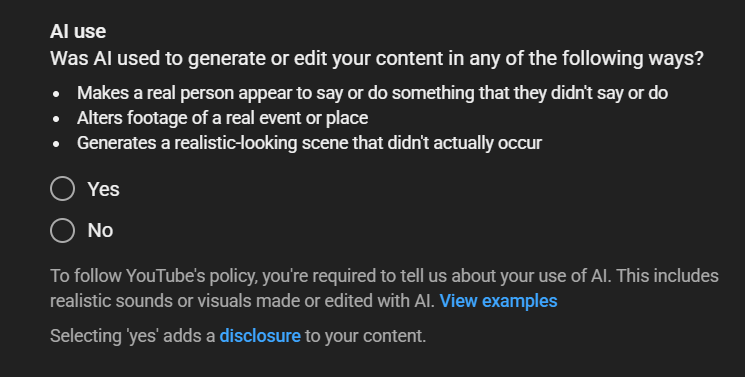
- Metadata & Disclosure: Fill in accurate metadata and check the required synthetic media disclosure tags in YouTube Studio where applicable.
By integrating these practices into your AI video production, you can create content that not only captivates audiences but also adheres to YouTube's monetization policies, ensuring your channel's growth and sustainability.